nalulululuna
fanbox
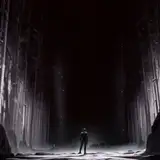
CustomPlatform: NightCityTerrace 0.0.2
NalulunaPlatformsHelper 0.0.1 for Beat Saber 1.21.0/1.22.0
NightCityTerrace-0.0.2-bs1.22.0
CustomPlatform: NightCityTerraceF 0.0.2 (for FeetSaber)
(FeetSaber 用に正面の段差をなくしたものです。
Cakeさんのコミッションにより制作されました。ありがとうございます!)
NightCityTerraceF-0.0.2-bs1.22.0
- このコンテンツは支援者様限定で公開しているため、ファイルやダウンロードリンクを他の方に提供しないようお願いいたします
- コンテンツが映った画像や動画の公開は問題ありません
- This content is available only to my supporters, so please do not provide the file or download link to anyone else
- No problem publishing images and videos showing this content
0.0.2
- ビルの下部を黒くフェードアウトするように
- 建物の位置調整、テクスチャ抜けを修正
1. CustomPlatforms modが未導入の場合は、インストール (下記参照)
2. ダウンロードした zip ファイルを展開して、以下に移動 (上書き)
C:\Program Files (x86)\Steam\steamapps\common\Beat Saber
(zip 内の CustomPlatforms、Plugins フォルダをここに移動 (上書き)します)
4. ビートセイバー起動後、左のメニューにある Custom Platforms を押して、
プラットフォームを選択
* 上記の記述は、Steam版Beat Saberのデフォルトインストール先の場合なので、
インストール先が異なる場合は適宜読み替えてください。
1. Install CustomPlatforms mod if it is not already installed (see below)
2. Extract the downloaded zip file to the following location (overwrite)
C:\Program Files (x86)\Steam\steamapps\common\Beat Saber
3. After launching Beat Saber, press Custom Platforms in the left menu and select the platform
* The above description is for the default installation of Beat Saber for Steam.
If your installation location is different, please change the description accordingly.
CustomPlatforms mod は、以下から入手可能です。
https://github.com/qqrz997/CustomPlatforms/releases/
ビートセイバー本体のアップデート直後などは、Custom Platforms mod が利用できない場合がありますが、その場合は、ビートセイバーを旧バージョンに戻すか、mod のアップデートをお待ちください。
The CustomPlatforms mod is available on ModAssistant or the link below.
https://github.com/qqrz997/CustomPlatforms/releases/
In some cases, such as right after Beat Saber update, Custom Platforms mod may not be available, in which case you can revert to an older version of Beat Saber or wait a while.
このプラットフォームは、読み込みに CustomPlatforms と NalulunaPlatformsHelper の 2 つの mod が必要になります。NalulunaPlatformsHelper は、同梱したライトマップデータの読み込みや、ライティングの調整、プラットフォームオブジェクトの表示非表示を行うための mod です。
今後、わたしがリリースするプラットフォームは、こちらの mod が必須になります。対応プラットフォームを表示するとき以外は何もしないので、動作負荷になることはありません。
This platform requires CustomPlatforms and NalulunaPlatformsHelper to load. NalulunaPlatformsHelper is a mod for loading the included lightmap data, adjusting lighting, and showing and hiding platform objects.
In the future, my platform releases will require this mod. It does nothing except display the supported platforms, so it will not be a workload.
NalulunaAvatars 使用の場合、NalulunaPlatformsHelper がライティング制御を引き継ぎます。このプラットフォームは夜間なので、デフォルトではアバターも暗く表示されるようになります。この部分は設定で調整が可能です。
かんたんに言うと…
アバターが暗い → Avatar Light Intensity を上げる
アバターにライティング色が乗りすぎ → Avatar Color Intensity を下げる
NalulunaPlatformsHelper のアバターライティングを使わない → Override Naluluna Avatars Lighting をオフに
Mod Enabled: mod の有効/無効
Platform Light Intensity: プラットフォームのライティング強さ
Override Naluluna Avatars Lighting: NalulunaAvatars にはアバターのライティング制御がありますが、対応プラットフォーム表示時には一時的にこれを無効化して、NalulunaPlatformsHelper 側でアバターのライティング制御を行います。例えば、暗いプラットフォームではアバターも暗く、明るいプラットフォームではアバターも明るく、というように、プラットフォームに合わせたライティングが可能になります。NalulunaAvatars を使用していない場合はなにもしません。
Avatar Light Intensity: 上記ライティング制御で、アバターのライティング強さ
Avatar Color Intensity: 上記ライティング制御で、ライティング色をアバターにどの程度反映するか (0だと明るさのみ。1だと極端に色がつきます)
Override Platform Environment Settings: プラットフォームオブジェクトの表示/非表示 (譜面や手動選択されたプラットフォームによって変わります。ただ、最近の公式プラットフォームではこれらのオブジェは存在しないので表示されません)
Small/Big Ring: 回転するリング状のオブジェクト (小/大)
Back Lasers: 奥に光る ^ のような形のライト
Double Color Lasers: 正面に並ぶレーザー光 (奥)
Rotating Lasers: 正面に並ぶレーザー光 (回転)
Track Lights: トラックの左右にあるライト (ないプラットフォームも)
When using NalulunaAvatars, NalulunaPlatformsHelper takes over lighting control. Since this platform is nighttime, avatars will also appear dark by default. This part can be adjusted in the settings.
Simply put...
Avatar is dark → Increase Avatar Light Intensity
Avatar has too much lighting color → Lower Avatar Color Intensity
Do not use avatar lighting in NalulunaPlatformsHelper → Turn off Override Naluluna Avatars Lighting
Mod Enabled: mod enable/disable
Platform Light Intensity: Lighting Intensity for the platform
Override Naluluna Avatars Lighting: NalulunaAvatars has avatar lighting control, but when displaying on supported platforms, this is temporarily disabled and the NalulunaPlatformsHelper will control the avatar lighting. For example, on a dark platform, the avatar will be dark, on a bright platform, the avatar will be bright. If NalulunaAvatars is not used, this setting does nothing.
Avatar Light Intensity: Lighting intensity for the avatar in the lighting control above
Avatar Color Intensity: How much of the lighting color is reflected on the avatar in the lighting control above (0 for brightness only; 1 for extreme color)
Override Platform Environment Settings: Show/hide platform objects

I have made it possible to download the file in BeatSaber 1.25.1 environment with NalulunaModAssistant, but I have not confirmed that it works, so I cannot guarantee that it works. I have confirmed that it works in 1.26.0.
1.25.1的版本可以使用嗎?
Thank you! I'm glad you like it!
This is my favorite platform, thanks so much <3
無事動作したようで良かったです!
私がモードを設置しながら、何か絡まっていた気がします。 正常に作動するという回答を見て再インストールしてみましたが、正常に作動します!! 個人的なミスでお手数をおかけして本当にごめんなさい /T-T)/
こちらは1.24.1ですが、動作確認しております。1.24.0もほぼ同じなので動かないことはないと思います。ログをお送りください。
「1.24.0」で使用したかったが、プラットフォームヘルパーが正常に動作していないようです。(TㅡT)
ありがとうございます!こういう広さを感じられるプラットフォームは良いですよね!カメラに映る限界の距離(1km先)までビル置いてます。
Thank you! I'm glad you like it!
控え目に言って最高 手持ちが閉塞感のあるplatformばかりでモチベーション落ちてたのでこういうの欲しかったです
Wow! This scene is beautiful. Thank you so much